Posts

Top 7 New Features of New ITR Filing 2.0 Portal for Taxpayers

Image
Introduction On 7th June 2021 new Income Tax Portal was introduced by CBDT ( Central Board of Direct Tax ) where the new income tax portal i.e ‘ www.incometax.gov.in ’ has been renewed by the former e- filing portal i.e ‘www.incometaxindiaefiling.gov.in ‘. The particular one who wants to file the returns has to file returns on this new portal afterward. The new portal has been renewed to eliminate glitches and other errors so that it will work smoothly in a filing. Traits of New Income Tax E-filing Portal Processing of ITR:   This is considered as the fastest processing of income tax returns which assists the taxpayers for immediate responses of tax filing. Meanwhile, the process of filing of income tax returns on this portal quickly initiates the process of the returns and it also delivers fast refunds to the taxpayers.  Free Tax Return Preparation Software:   Apparently, there are  ITR-1 and ITR-4 which are conveniently online and offline, and ITR-2 which is free ...
GST Alert for Taxpayers! Today GSTR 7 & GSTR 8 Filing Last Date

Image
It is important news for GST taxpayers as the Central Board of Indirect Taxes and Customs (CBIC) has announced to file the GSTR-7 and GSTR-8 for the month of August 2021 by Sept 10th, 2021. This all focused on the GST Taxpayers who needed to withdraw Tax at Source (TDS) and TCS under GST. Late filing of GSTR -7 & GSTR 8 probably engages late fees and interest.  CBIC has tweeted: "Attention GST Taxpayers who are required to deduct Tax at Source (TDS) under GST! File your GSTR-7 & GSTR 8 Return for the month of August 2021 by September 10th, 2021."  Earlier month, it has notified that government pours relaxation on taxpayers by lowering/renouncing the late fees for non- furnishing form GSTR -3B throughout the tax period from July 2017 to April 2021, However, if it is supposed to returns for these tax time span are embellished from June 01, 2021, to August 31, 2021.  Whereas, the end date to claim the advantages of the late fee release scheme was to widen from the ...

Gen XBRL Software: Prepare & E-Filing Balance Sheet in XBRL Format

Image
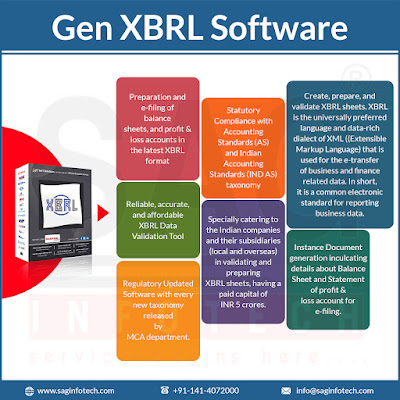
Gen XBRL is a complete software for validating and preparing XBRL sheets for accounting and taxation professionals, including company secretaries (CS) and chartered accountants (CAs). It is well known that CS and CAs spend a lot of time preparing and e-filing the balance sheets, profit & loss a/c calculation based on the new XBRL format, etc. Therefore, using Gen XBRL software is a great idea for accounting professionals to perform the above-given tasks in a few easy steps. Gen XBRL software also allows CA and CS professionals to prepare XML sheets based on the latest Indian accounting standard (IND AS). This MCA business rule-based software gets regularly updated and is also extremely easy to use for accounting professionals. With the help of Gen XBRL return filing software , the professionals can easily perform the import and export of current and previous year XML and also validate it directly with other vendors' software. Here is a list of some of the most attractive and ...

Powerless to Claim Credit of TDS from Your Bank? Reason Here

Image
From this point, the institutions like banks can find out the TDS (Tax deducted at source) at a higher rate of 20% on the interest you have gained on the deposits. As you had furnished TDS upon the interest income you need to get it managed for your overall tax liability. Indeed if the tax cut was more than your tax liability then you can avail of the refund. The assessee shall need to show pre-tax or gross, ITR and the credit for the tax furnished shall need to be taken separately.  But you might face hardships in availing of the TDS credit as it will not get shown on your Form 26AS as you shall not file your PAN through your bank. The TDS return furnished through the bank shall mention, “PAN not available”. Tax expert stated that "Any person deducting TDS, including banks, needs to know the PAN (and Tax Account Number or TAN) of the person whose TDS is being withheld and paid. The deductor has to submit a quarterly statement (TDS Returns) of whose TDS has been deducted and paid...

Extra Advantages of Filing ITR Even if Income Below INR 2.5 Lakh

Image
Are you the individual whose income is less than taxable income i.e. Rs 250000 and you are not required to file income tax return ? Worth mentioning here that even if your income is fewer than Rs 2,50,000 and you file an ITR, you shall get many benefits that your peers might recognize after a few years. The first benefit is the ease of taking a loan from the bank. Filing ITR is proof of income whatever it is and it increases your credibility. This makes it easy for you as an individual to take out a loan. Many banks ask for proof of return for the 2 years while taking a home loan or vehicle loan. Visa Application Help Available ITR  increases the probability of getting a Visa. if you have applied for it. It presents proof that you are a responsible citizen. If Additional TDS is Deducted Refund is Processed You shall get a refund in case of Tax Deducted at Source (TDS). For instance, if your income is Rs 1 lakh from interest on Fixed Deposit, the Bank shall cut TDS directly. However...

Simple Method to Update Details of Bank Account on GST Portal?

Image
At the time when the GST registration was done,  the prerequisite for bank account-related details had been withdrawn since the bank account cannot be opened before the start of the business. The Bank account information might be added by changing the non-core area. Following are the steps to change the Bank Account details on the web portal of the GST Log on to the web portal of GST  Then Go to Services Thereafter Click on Registration Then Click on the tab Amendment of the Registration non-core field In the fifth step Select tab Bank Accounts Then click on the Verification code In the Seventh Step, Select Authorised Signatory Then Enter a Place Sign the application using the Digital Signature Certificate (DSC) Finally E-sign or EVC Consequently, a success message shall pop up on the screen and the copy of acknowledgment shall be sent to the registered email id and the mobile phone. How to Add Bank Details? In order to add the bank details on the web portal of GST,  Logi...

Full Process to Download Excel, JSON File Format of GSTR 2B on Portal

Image
Instead of starting the new GST return filing system, the government shall try to begin the new specifications to the traditional system. Here is the whole guide to download the excel file of GSTR 2B from the GST portal which is available in JSON for import data.  The excel file of the GSTR 2B assists us to build the reconciliation in a simpler way and the JSON file assists us to import the information to any software.  The Procedure Which Guides Us: Step 1: Log in to the new GST portal by entering the username and password, Tap on login.  Step 2: Post tapping the log in the dashboard shall be displayed and then tap on the service then opt for the return and then tap on the return dashboard.  Step 3: Now you shall need to furnish the details towards the FY quarter and period. Post to furnish the entries tap on search. Step: 4: Now scroll down and choose the auto-drafted input tax credit (ITC) statement on GSTR-2B then opt for the download option.  Step 5: ...